Workflow guide
Retro Mac Dithering Online
Retro Mac dithering online recreates the high-contrast, airy dot patterns of Classic Macintosh graphics — the same Atkinson error diffusion Bill Atkinson built for the original Mac. Diffused Editor includes a one-click Classic Mac preset.
Quick answer: Retro Mac dithering online uses Atkinson error diffusion with the Mac Plus palette for authentic 1-bit Macintosh aesthetics. Click the Classic Mac Quick Preset in Diffused Editor or set Atkinson + grayscale + 2 colors manually.
What defines retro Mac dithering?
Early Macintosh displays were 1-bit — pure black and white, 512×342 pixels on the Mac Plus. Bill Atkinson's dithering algorithm spread error lightly across six neighbors, creating open, high-key patterns unlike the denser Floyd-Steinberg look. HyperCard icons, MacPaint art, and early desktop publishing all used this aesthetic.
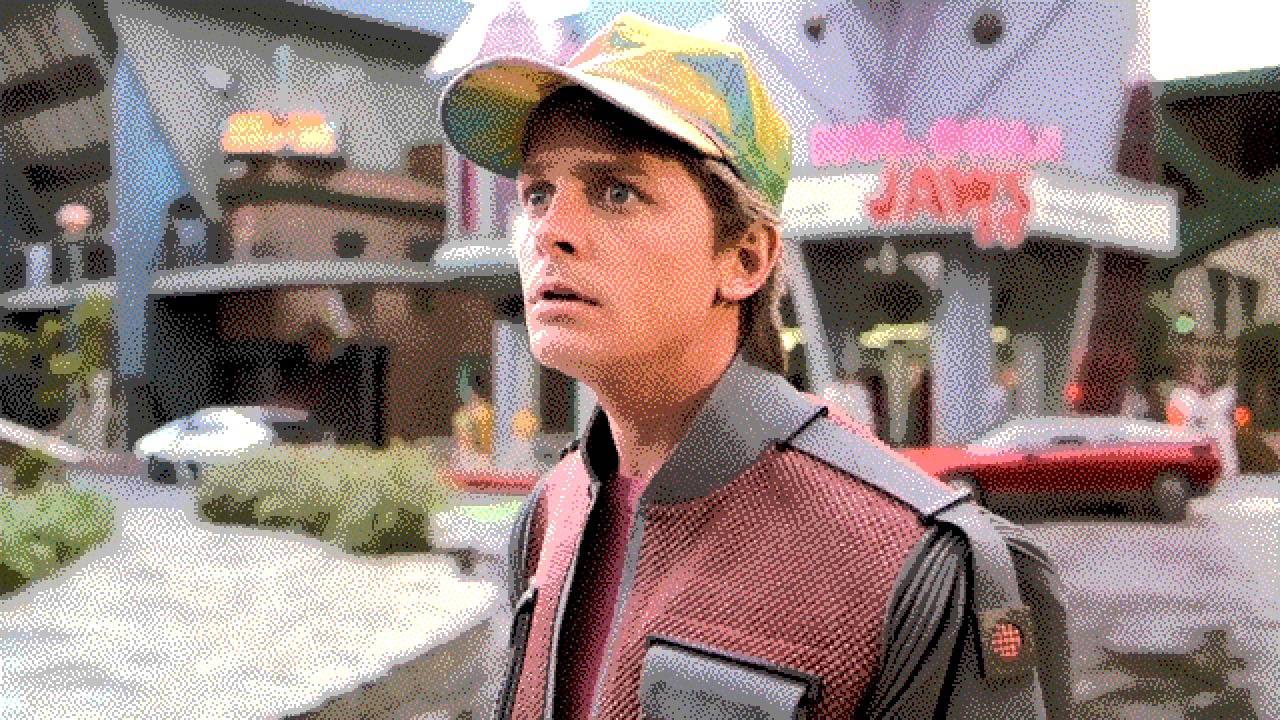
Recommended settings for retro Mac looks
- Algorithm: Atkinson
- Preset: Classic Mac (one click)
- Palette: Mac Plus (B&W)
- Colors: 2 · Grayscale: on
- Intensity: 100–120% · Contrast: +15 to +30
Also see 1-bit dithering online for general black-and-white workflows.
How to apply retro Mac dithering online
- Open Diffused Editor.
- Upload your image.
- Click the Classic Mac Quick Preset.
- Fine-tune threshold and contrast, then download.
Frequently asked questions
What algorithm did the original Macintosh use for dithering?
Bill Atkinson created the Atkinson dithering algorithm for early Mac graphics. It distributes 75% of quantization error, producing lighter patterns than Floyd-Steinberg.
Can I get a HyperCard-style dithered look online?
Yes. Use Atkinson with the Mac Plus palette and 2-color output in Diffused Editor. The Classic Mac preset applies these settings automatically.
Is retro Mac dithering free?
Yes. Atkinson and the Mac Plus palette are included in the free tier.
Try retro Mac dithering — Classic Mac preset, one click.
Open Diffused EditorExplore all algorithms in our image dithering guide.